To a lot of you who’ve been shooting video with DSLRs for some time,
the settings on the GH4 might be a bit “ho hum”. But, for me, shooting
camcorders for the last 10 years, it’s been a sea-change. I spent a
lot of time studying the settings and came up with something that works
for me. I thought that I’d share it.
Firstly, I have to say that I prefer a “natural” look; I like my
finished video to look as close as possible to what my eyes saw
underwater. So that "natural look" bias is in my settings. I don't WB
to white or add a lot of red. You can adjust to your own tastes.
Secondly, when I am underwater, I want to focus as much of my
attention on the “story” and the “subjects”. But I rarely use an
“auto-everything” approach as that does not work well in many
situations. But, I do like to quickly get to as close to the "optimal
look" without too much fiddling and adjustments (while the whale shark
swims away).
So, I have found it very useful to leverage the custom setting feature in the GH4. It works really well with this camera.
After a lot of research and testing, once I had an idea of what I needed, here is the process that I used:
1. Set all the “in menu” settings (my preferred settings are below)
2. Set the camera controls to your most “usual” setting
3. Set the WB presets (more on how to do this below)
4. Save this to C1 (in my case, C1 is full manual)
5. Without changing the menu settings from C1, change the camera settings to your second most “usual” settings
6. Save this to C2 (in my case, C1 is shutter of 1/50 with AFL/AEL for focus and exposure)
7. Change to your third most “usual” settings.
8. Save this to C3-1 (in my case I use “shutter 1/50; auto-everything-else”)
9. (you could do two more settings, C3-2 and C3-3, but I don’t use these because they are not so quick to access)
more...

Underwater Photography News, Reviews and Trip Reports from Optical Ocean Sales.
Saturday, August 9, 2014

Wednesday, August 6, 2014
Mirrorless in Mexico: Nauticam NA-A7 - Sony a7 Review

It was much smaller to pack and handle and the results were better than I hoped for. The Sony a7 with an old Nikonos 15mm FE amphibious film lens shot remarkably well, sharp and was quite small to handle compared with large domes normally used for a full-frame rig.
The Sony a7 (and a7r, a7s) are very impressive; the first full-frame camera in a mirrorless body! With it being much smaller and lighter than the D800, it was easy to carry around. Performance was very good, the camera is very comfortable and solid to shoot.
The controls to change ISO as well as other features are right under your fingertips on the Nauticam housing. One big advantage of the Sony over the Nikon is that you can program several function buttons and use them on the housing to bring up other screens providing convenient access to various functions that otherwise are buried down in the menus.
 Besides the Nikonos 15mm FE, I shot the a7 with the kit Sony 28-70mm lens behind the Nauticam flat port. This lens works pretty well as a moderate mid-range lens, fairly sharp for it’s modest cost, with good imaging characteristics. In low light at deeper depths, I was still able to catch focus and it shot fish portrait type shots quite well.
The legendary Nikonos 15mm FE film lens, mounted in an adapter, lived up to it’s reputation. It delivered stunning wide angle, even though it has manual aperture and focus controls. external Nauticam 180 viewfinder to good result with a wide range of displays offered in both. A nice feature of the electronic viewfinder was that you could turn the image lighter or darker, something you can’t do with the optical viewfinder of the D800.

One area where the Sony a7 was a standout is shooting at high ISOs in dark environments. I shot the very dimly lit holds inside of the Fang Ming wreck at ISO 3200 and got good results, even with the older Nikonos 15mm lens. Not much noticeable grain, and I’d say it was better at that high ISO than my D800 was at ISO 2000. Dynamic range was pretty good, comparable to the Nikon.
 I shot it with two electronically synced Sea & Sea YS-D1 strobes in manual. TTL is not currently available, although Nauticam has come out with a new optical sync trigger that simplifies things quite a bit.
Compared to the Olympus E-M1
We shot the Olympus E-M1 with the Panasonic 8mm and Olympus 9-18mm lenses quite a bit in an Aquatica AQ-EM1 housing. (We hadn’t brought any macro lenses, expecting to be shooting all large animals.) The 9-18 behind Aquatica’s new SW8 dome was quite impressive, allowing for a nice range of focal lengths from close-focus wide angle to more moderate shots. It was very balanced and rugged, with easy to reach controls. Port and lens changes were easy, and the cam latch made access to the camera literally a snap.

Compared to the Nikon D800
The D800 has many more lenses available and with the new D810 coming out with even better low-ISOs and other features, I’d give it the edge over the Sony a7. but it is a much larger, heavier system to use, and the Sony a7 was easier to swim with than my D800, certainly for free diving. The same adavantage goes to the D800 for availability of lenses, even more so as it can use old Nikon film lenses that are comparably cheaper than the new Zeiss Sony lenses.
I think the Sony a7 will come into it’s own as new Zeiss and other third-party lenses come out, and it certainly sets a precedent for smaller, lighter professional level cameras to come.


Sunday, July 20, 2014
Kona Variety Pack

Denise caught a cold, but I managed to get out with Jack’s Diving Locker on one of their limited load trips one day. They did a great job with only 4 divers on a boat made for 8 or 10, for photographers it’s well worth the extra cost. Unfortunately the swell was running, so options for dive sites were very limited. The first place we went to really had little life, although the old lava flows underwater were pretty interesting.
One the way back we did a dive at Captain Cook’s Bay, where he was killed. Although there were a lot of day boats with snorkelers, we enjoyed the huge coral slopes and pretty had the site to ourselves. It was a nice day on the water with whales rolling around us on the boat on the way back.
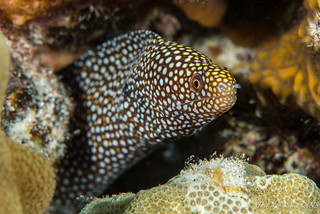
I went up the “Sanctuary - 2 step” for a shore dive one afternoon and really enjoyed it, lots more life and good macro subjects nearly everywhere. Spent quality time with a little jeweled moray. Even spotted a turtle (of course with a macro lens couldn’t get much of a shot). As it is a protected park, the fish life there is abundant.
I also went with Jack’s on one of their famous Manta Night dives. Having done several trips to the Socorro’s with the giant mantas, I wasn’t sure what to expect amid all the hype. But it turned out to be as exciting and fun as it was built up to be. We had something like 29 mantas show up and swoop close up over and around us from all directions, feeding on the krill that had gathered in our lights. I kept getting some weird reflections from some of the bright dive lights in my dome port when I was shooting stills, but my video turned out pretty well. Definitely a must do.
Kona provided a lot of good photo subjects that week; big and small.
Kona Manta Feed from Optical Ocean Sales on Vimeo.
Sunday, July 13, 2014
Good Things Come in Small Packages!

A DSLR user tries out "going small" with the Olympus OM-D E-M1 and Aquatica housing.
On a recent live-aboard trip to the Sea of Cortez, I had the misfortune of flooding my housing on the second dive of my trip. I was heartbroken at losing my favorite lens and a darn good DSLR camera body. At that very moment, I was looking at the next seven days of being on a live-aboard with twenty other camera-divers and I would not be taking any photos.
As word of my camera flood went around the boat, our trip leader Jack offered to loan me a new Olympus OM-D E-M1 camera in an Aquatica AQ-EM1 housing. Pretty hard to turn down that kind of an offer! I was excited to get my hands on one these new micro four-thirds size cameras in such a robust housing.
The E-M1 camera I was about to use had an Olympus 9-18mm wide angle lens. Since I love shooting close-focus wide-angle, it was a perfect setup for my first experience with this camera.

 I spent about an hour with the easy-to-follow owners manual, did some creative wiring of my strobe lights and I was almost ready to get back in the water.
I first noticed how easy I was able to get my camera settings lined up the way I had them on my DSLR. I like to shoot RAW or aperture priority and it was easy for me switch between the two settings. The controls are logical and comfortably located on the body. I took a few test shots on deck and mounted the SW8 wide angle port and extension onto the housing.
Loading the camera into the housing was also a breeze. There are some very positive ‘set points’ for the controls that you must adjust or line up, or the door will not close. Once closed with a single cam-lock, I only needed to make a few pumps to pressurize the housing to get a steady slow green blinking light and all was ready. A couple more test shots with the camera in the housing and then it was time to start diving again.
 I have always framed my exposures through a viewfinder, which can be pretty difficult sometimes depending on lens selection, subject angle, lighting and especially current conditions. I was so pleasantly surprised at the ease of being able to quickly compose my photos through the generously sized Olympus electronic viewfinder.
With a firm grip on the Aquatica housing, I could extend my arm into small holes or crevices, compose the shot in the viewfinder and shoot with one hand on the housing and one ‘finger’ balancing me. That is very hard to do with my big DSLR setup. Within ten minutes of my first dive with the camera, I was getting images of quality totally equal to my recently deceased DSLR.

I was very happy to have had a week of diving with this Olympus/Aquatica m4/3rds combination and then be able to share my observations. It has made a believer out of me that great things do really come in small packages.
Friday, July 11, 2014
Digital Image Software for Underwater Photography
By Jim Garin
Today, it is very easy to take almost any digital camera, take a picture and have it come out pretty well. Cameras have auto face recognition, smile recognition, pet recognition and more modes than one could possible use. Even phones can take reasonable images.
But as soon as you take a camera underwater, all bets are off. At most a camera will have an underwater setting…one that only works underwater for bright tropical conditions, and divers aren’t always diving in those places, or with artificial light sources like strobes.
Thankfully, there are two things that can fix this:
Assuming you have a camera that can store raw images, you need software to work with it. Most cameras come with the manufacturers’ software, but it is very limited, except if you buy a more premium version. While there are dozens of different software programs that can work with raw images, three stand out above all the rest:
A lot has been written about Lightroom elsewhere, so I will concentrate on DXO’s features.
Today, it is very easy to take almost any digital camera, take a picture and have it come out pretty well. Cameras have auto face recognition, smile recognition, pet recognition and more modes than one could possible use. Even phones can take reasonable images.
But as soon as you take a camera underwater, all bets are off. At most a camera will have an underwater setting…one that only works underwater for bright tropical conditions, and divers aren’t always diving in those places, or with artificial light sources like strobes.
Thankfully, there are two things that can fix this:
- Raw images (what the camera actually sees before making a picture you can use).
- Image processing software (so you can turn that raw image into a different file type to have on the screen or print).
Assuming you have a camera that can store raw images, you need software to work with it. Most cameras come with the manufacturers’ software, but it is very limited, except if you buy a more premium version. While there are dozens of different software programs that can work with raw images, three stand out above all the rest:
- Adobe Lightroom This is the original, biggest selling, most used software, one that does everything you need and everyone knows. It’s strength is creating a catalog and adding metadata to photos so that you can find them later.
- Adobe Elements A much less involved (and less expensive) program that has much of the manipulation abilities of Lightroom, but doesn’t work in pro color models, or do the cataloging that Lightroom does.
- Silky Pix As a simple version of this comes with lots of different cameras, this is the next most known software. However, the professional version is not used that much outside of Japan.
- DXO Pro Newest kid on the block that takes advantage of DXO's huge library of camera/lens testing.
A lot has been written about Lightroom elsewhere, so I will concentrate on DXO’s features.
Thursday, July 10, 2014
A "Newbie" Shoots the Sea & Sea RX100II
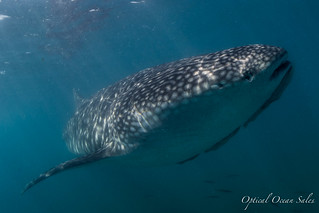 A “newbie” photographers experience with the Sony RX100 II with the Sea and Sea MDX housing.
By David Todd
I am new to underwater photography.
I started a few years back with a borrowed ancient point and shoot and eventually upgraded to a Canon G10 in a Canon polycarbonate housing.
Always the budget minded Scotsman, I piece-mealed my set up; adding a basic tray and arm set on special at a local dive show and eventually upgrading to a Sea and Sea YS01 strobe and a focus light.
Every advance has had its share of learning curves and has eventually turned out to be more than worth the pain in the improvements I have experienced in my photos.
I recently got a chance to shoot the Sony RX100II in a Sea & Sea MDX RX100 I/II housing for a week during a live-aboard photo expedition in Mexico’s Sea of Cortez.
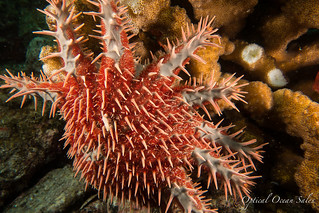 During the trip I got a chance to use the set up in a variety of different conditions and arrays.
It was a big step up for me, first time using a new camera, new housing, dual strobes, wide angle and macro lenses and had it’s share of frustrations but in all a huge improvement over my G10 set up.
Big Sensor
This camera is often lauded for it’s huge 20.2MP CMOS sensor and tiny form factor. This translates to big camera picture quality in a pocketable camera. I found the picture quality to be excellent and limited mostly by my inexperience with the camera.
Wide angle
The majority of the images and footage were taken using an additional Fix UWL-28 wide angle wet lens that screwed on to the housings 67 mm threads with an adapter.
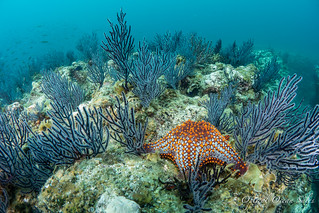 This was ideal for the large animals and wide-open reefscapes we encountered.
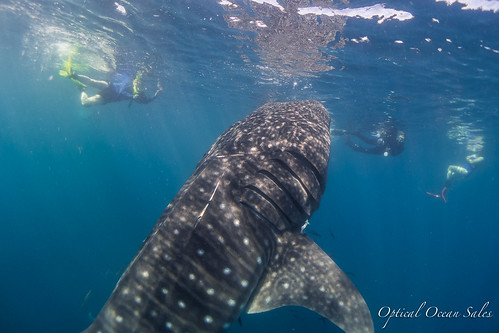
I was able to capture the whole length of 22+ foot whale sharks in the open water and still get up close to reef creatures and show off the background in close focus wide-angle shots. We found the corners to be quite acceptable, and the lens is less than half the cost of the Inon wide angle lens system.
 Macro, what macro?
Like most of the folks on the trip I was geared up for shooting big mantas and sharks and not unfortunately for the wealth of macro opportunities that the area held.
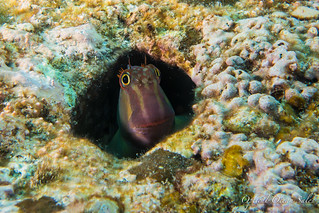
Among the whale sharks and sea lions and huge baitballs lay healthy populations of Barnacle Blennies and Redhead Gobies which I spent a couple of dives trying to capture to no avail until I added an I-DAS + 5 macro diopter to the rig. This helped and I was able to get identifiable shots of these sub-centimeter creatures, if not the micro masterpieces I hoped for.
The Housing
 The
Sea & Sea MDX RX100I/II housing was a joy to operate. After fighting with sticky
buttons on an inexpensive polycarbonate housing, it was a huge relief to
use a well-machined sturdy aluminum housing. It feels solid and fits
great in the hand with or without gloves. The buttons operated smoothly.
The controls were large, well-marked and intuitive to use. Knobs and dials are much larger than other housings, making this the best choice for cold-water divers.
The
Sea & Sea MDX RX100I/II housing was a joy to operate. After fighting with sticky
buttons on an inexpensive polycarbonate housing, it was a huge relief to
use a well-machined sturdy aluminum housing. It feels solid and fits
great in the hand with or without gloves. The buttons operated smoothly.
The controls were large, well-marked and intuitive to use. Knobs and dials are much larger than other housings, making this the best choice for cold-water divers. I found myself doing things I would never bother attempting on my old housing: changing settings underwater, reviewing and deleting photos etc. I was happy to find that the Sea & Sea works so well with the Sea & Sea YS-D1 and YS-01 strobes. I also appreciated the fact that it can fit either the 1st or 2nd generation of the RX100, good news for those who might want to upgrade their camera without incurring the cost of a new housing.
I did discover a couple of idiosyncrasies, I had my screen set to turn off after a couple of minutes to save battery power and had to make to a concerted effort to restart the camera, sometimes pressing the button repeatedly. Another unique feature of this housing is it’s light touch in focusing, unlike some, where you press half way to lock focus and all the way down to shoot, just a light pressure on the shutter lever brings you to that focus point.
The Takeaway
This is a very good camera. It has capabilities beyond way my current knowledge level and is a platform I can see myself growing with as a photographer.
It has great video capabilities. I only used available light and the mpeg 4 setting and was quite happy with the results. I’m looking forward to seeing what using it’s higher res AVCHD settings and adding video lights will add to the mix.
The Caveat
The already well-documented weakness of this camera is its lack of native macro capabilities. For most folks going to clear warm waters to photograph large animals this won’t be much of an issue. Here in the Pacific Northwest where we are swaddled in a rich plankton broth at least ½ of the year, superior macro capabilities are a must have. Looking forward to trying a more powerful macro lens like the SubSea +5 or +10 diopter.
The Package
- Sony RX 100 II
- Sea & Sea MDX Housing for Rx100 and RX100 II
- Fix Neo 2000 DX Video light - Mostly underused as a very powerful focus light.
- Fix UWL-28 Wide Angle Lens
- 2 Sea and Sea YS – D1 Strobes
- I-Das Fit+ 5 Diopter
Sunday, June 29, 2014
Do I Really, Really Need a Strobe?
By Bill Van Antwerp
One of the more common questions we get asked, particularly from newer underwater photographers is “I am going to shoot some photos and some video; do I really need a strobe and a focus/video light or can I get buy with just a light?”
To answer the question I set up some tests both in the studio and while diving from the Conception at San Miguel Island (Channel Islands, CA). In the studio setup shown below, I set up a “mandarin fish” in a bed of rocks. The fish is about 2 inches long. For the test in the studio and in the water, I was shooting an Olympus OMD-EM5 in a Nauticam NA-EM5 housing with 2 Sea and Sea YS-D1 strobes using the 12-50 Olympus lens in the Nauticam focus port. For continuous lighting, I used either one or two Light and Motion Sola 1200s, iTorch Pro 6s or Nocturnal Lights M700i.
In the fashion and portrait studio world, LED lighting is becoming wildly popular because with studio LED panels both the color temperature and the brightness can be adjusted on the fly. Underwater we have no such luxury and none of the three lights that we tested had continuously variable intensity levels, but rather two (Nocturnal) or three (iTorch and L&M) levels of brightness.
Figure 1: The setup at left shows two strobes and a single focus light; for the case of two lights the lights were placed where the strobe are shown.
Figure 2: For a baseline, I shot my mandarin fish at 1/250th of a second and f/22 at the native ISO of the camera, 200. The photo above shows the results of this shot with both YS-D1 strobes set at 0 power. A flash meter reading suggested F/18 for this shot and notice the background is a bit dark but overall this is well exposed and notice that the depth of field is quite large.
One advantage of shooting with strobes is that you can have exquisite control of the depth of field by manipulation of the aperture. Below is a shot of the fish at 1/250th and f/6.3 (the minimum of this lens). The strobes were shot at minimum power for the strobe on the left and 1 notch above minimum power for the strobe on the right allowing for adjustment of the darkness of the shadow on the left rear of the photo.
One of the more common questions we get asked, particularly from newer underwater photographers is “I am going to shoot some photos and some video; do I really need a strobe and a focus/video light or can I get buy with just a light?”
To answer the question I set up some tests both in the studio and while diving from the Conception at San Miguel Island (Channel Islands, CA). In the studio setup shown below, I set up a “mandarin fish” in a bed of rocks. The fish is about 2 inches long. For the test in the studio and in the water, I was shooting an Olympus OMD-EM5 in a Nauticam NA-EM5 housing with 2 Sea and Sea YS-D1 strobes using the 12-50 Olympus lens in the Nauticam focus port. For continuous lighting, I used either one or two Light and Motion Sola 1200s, iTorch Pro 6s or Nocturnal Lights M700i.
 |
| Figure 1 –Setup in Studio |
Figure 1: The setup at left shows two strobes and a single focus light; for the case of two lights the lights were placed where the strobe are shown.
 |
| Figure 2 – 1/250th, f/22, ISO 200, 2 YS-D1 Strobes. |
Figure 2: For a baseline, I shot my mandarin fish at 1/250th of a second and f/22 at the native ISO of the camera, 200. The photo above shows the results of this shot with both YS-D1 strobes set at 0 power. A flash meter reading suggested F/18 for this shot and notice the background is a bit dark but overall this is well exposed and notice that the depth of field is quite large.
One advantage of shooting with strobes is that you can have exquisite control of the depth of field by manipulation of the aperture. Below is a shot of the fish at 1/250th and f/6.3 (the minimum of this lens). The strobes were shot at minimum power for the strobe on the left and 1 notch above minimum power for the strobe on the right allowing for adjustment of the darkness of the shadow on the left rear of the photo.
Saturday, June 14, 2014
Sea of Cortez: The Only Sure Thing is Whale Sharks!
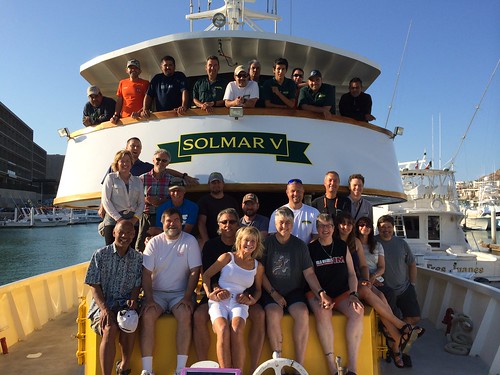 Twenty-one underwater photographers boarded the Solmar V dive boat in Cabo San Lucas, Mexico, on June 23rd expecting to steam the next 25 hours to the Revigadagos Islands, aka "The Socorros", 250 miles offshore. Alas, "Amanda" had other ideas.
Having built up to a Category 4 Hurricane, Amanda was an early violent storm a few hundred miles south of Socorro Island and heading straight for the area we were to dive. Needless to say, the Captain told me that we had to make a big change and head north into the Sea of Cortez. I had taken several trips to the Sea of Cortez ten years ago, but I hadn't enjoyed the long runs to the dive sites from shore. This would be a great opportunity to re-explore it from the comfort of a large live-aboard.
The good news was that the diving there is pretty good, and we could be diving the next morning in Cabo Pulmo.
After a checkout dive, we dropped on the wreck of an old tuna boat, descending right through 9 large bull sharks. Enjoying large schools of grunts and snappers. We explored what was left of the old boat, really just a few large pieces, seeing the large sharks circling in and out amongst our group in somewhat murky conditions.
 Continuing north towards La Paz, we dove La Reina and Swanee Rock, both teaming with life. Diving in the Sea of Cortez is very "fishy" with huge schools of grunts, snappers, goatfish and others on nearly every site. Friendly pandemic green morays also greet you from almost every hole. Corals are mostly hard, and not all that colorful, so the aquatic fish life is what you go for. Yellowtail sturgeon fish, puffer fish of every variety, colorful hawk fish, and grouper abound on nearly every site.
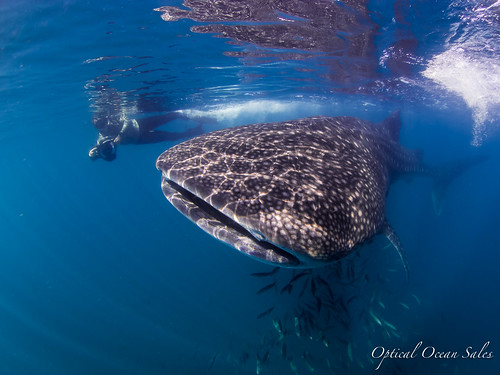
However, with a boat load of photographers bent on looking for large animals, we decided to take some chances. Whale Sharks are found in La Paz bay in the Spring; but there had been no reports so far. Would we spend a half-day to cruise the bay and most likely find nothing? A multi-cultural debate raged that evening over dinner, as the French contingent felt the whale sharks weren’t guaranteed, but were finally out voted.
Subscribe to:
Posts (Atom)